the old way
- Units live in your head, not in the math
- A unit slip looks just like a right answer
- Change one input → re-check the whole sheet by hand
- The "deliverable" is a screenshot of a spreadsheet
engineering calc / unit-aware / live worksheet
NapkinCalc is a live worksheet for engineers and students. Write the math the way you would on paper — with real units — and it solves as you type, in dependency order, every time you change a number. Free, in your browser. No install.
opens .mcdx & .xmcd / no account to start / 200+ units built in
the problem
Spreadsheets and scratch paper don't know a newton from a pascal. The dimensions live in your head — until one slips, and there's nothing to catch it.
the old way
with napkincalc
units are the feature
A length is metres, a force is newtons, a stress is pascals — and NapkinCalc treats them that way. Quantities carry their dimensions through every operation, so a unit slip becomes an error you see, not a number you ship.
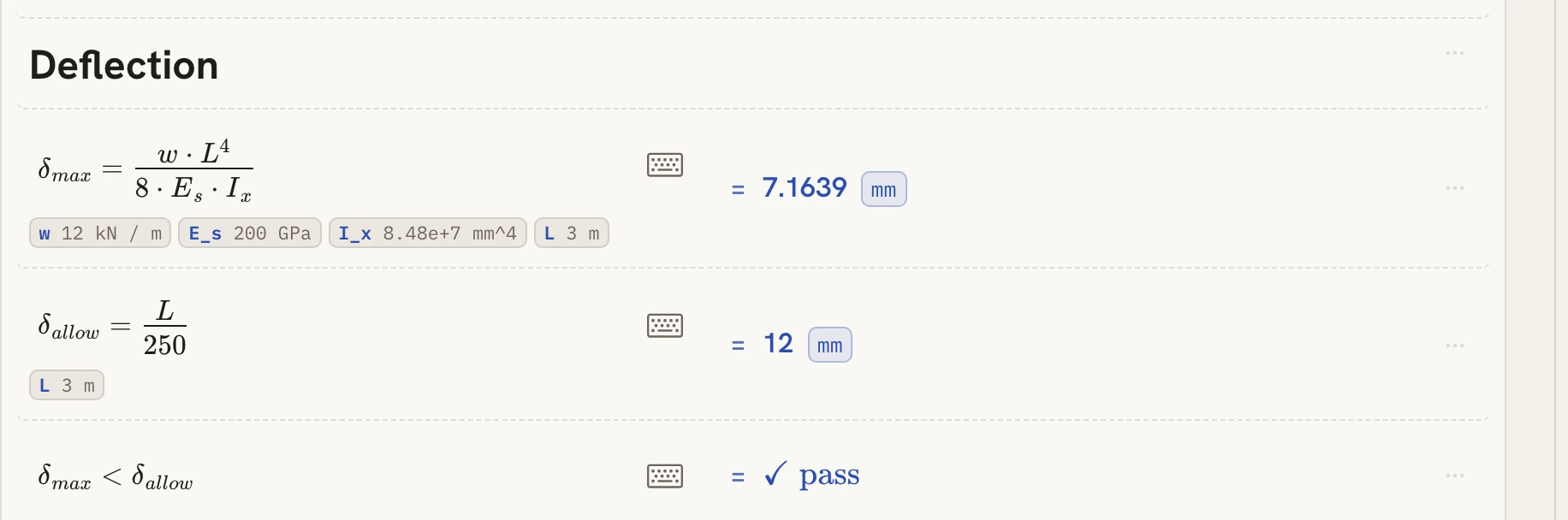
12 kN/m×(3 m)⁴÷8·E·I=7.1639 mm//guess the unit
kN/m times m⁴ over GPa·mm⁴ is a length — so the answer arrives as one. Ask for it in mm, inches or light-seconds; a slip comes back as an error, not a guess.
no demo-reel math
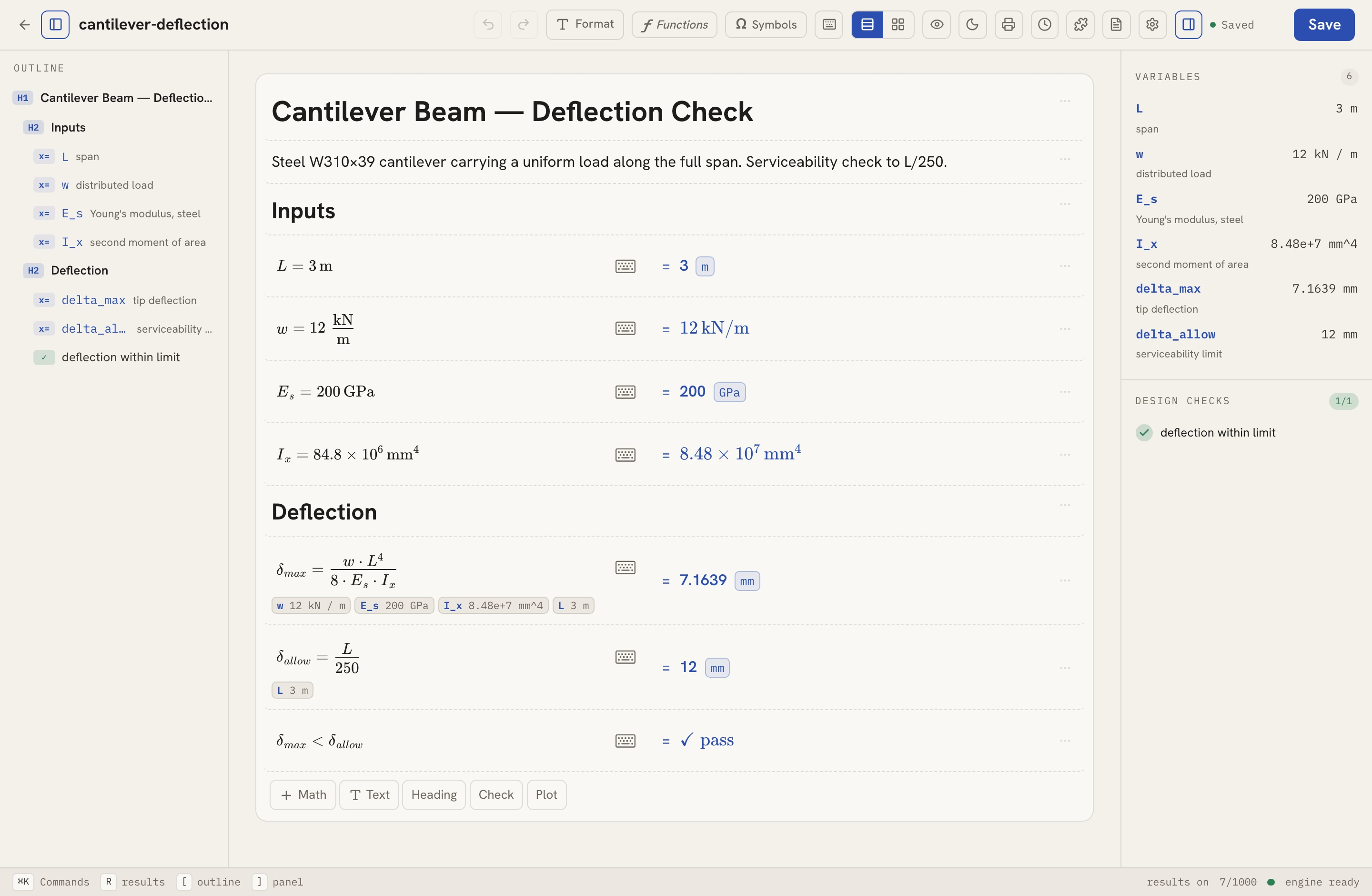
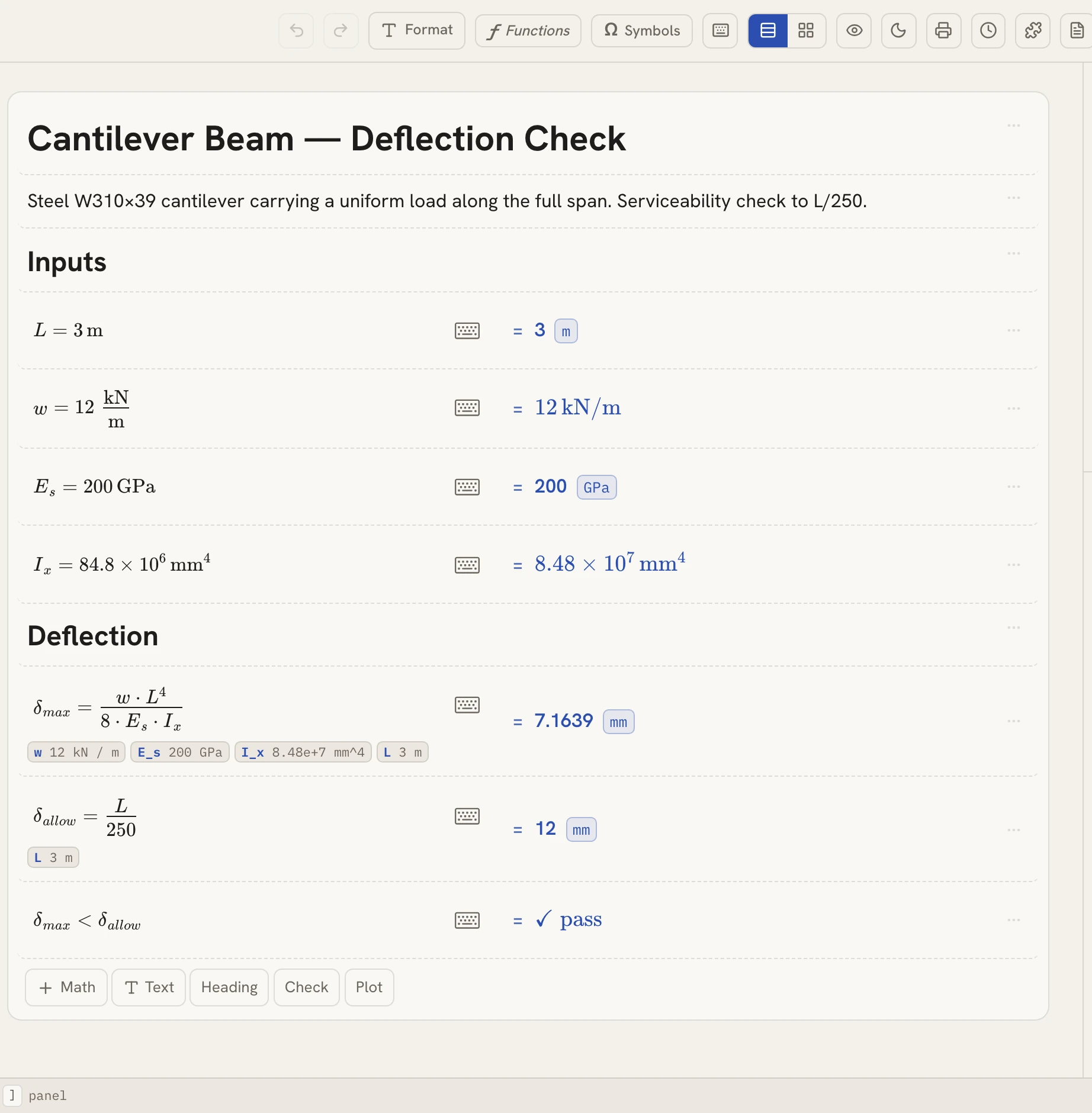
Not a screenshot — a worksheet computing in your browser right now: a steel cantilever, a uniform load, and a serviceability check to L/250.
Try it: change w from 12 to 36 kN/m in the card and watch the sheet re-derive — δ_max becomes 21.5 mm, the check turns to ✗ fail, and the scoreboard in the corner tells on you. That's the point.
Try it on your own beamSteel W310×39 cantilever carrying a uniform load. Serviceability check to L/250.
// this is live — edit the blue inputs
one tool, all of it
Algebra, calculus, matrices, statistics — and the unit-carrying physics and engineering work they feed. Same worksheet, same keystrokes.
Roots, exponents, logs and trig — typed the way the textbook prints them.
Symbolic derivatives, finite sums and products — evaluated live in the sheet.
Determinants, inverses, eigenvalues and transposes straight on matrix cells.
Plot any expression in x — range, sampling and the curve redraw live as inputs change.
Kinematics to thermo with units carried through every intermediate step.
Sizing, stress and flow calcs with design checks that gate the result.
Mean, deviation, variance and friends over whole data vectors at once.
Full complex arithmetic — magnitude, argument, conjugates, real and imaginary parts.
Domain packs you enable per worksheet — beams & sections, pipe flow, statistics, engineering economics.
grid view
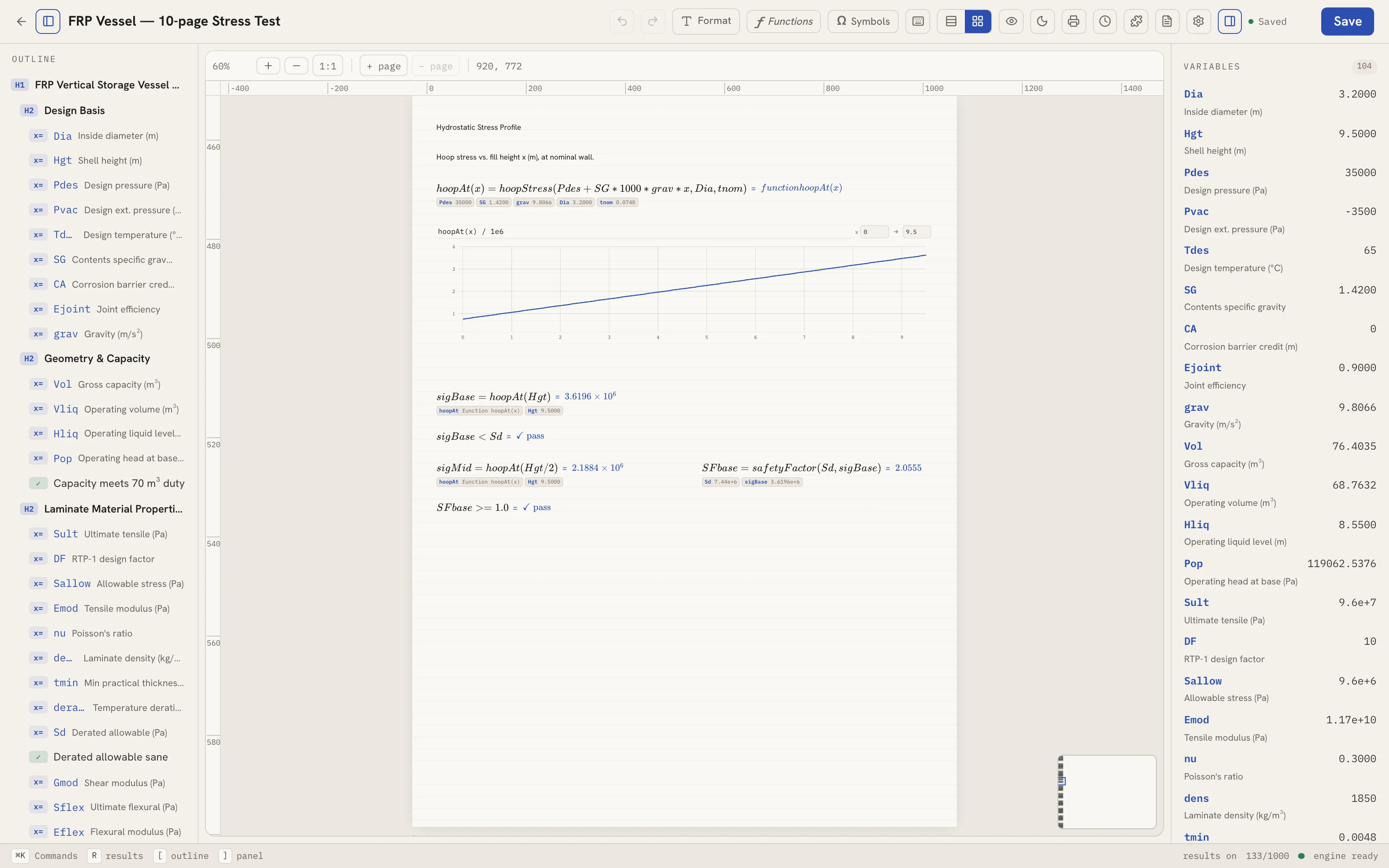
Flip the worksheet into grid view and it becomes real pages on a canvas — drag any cell anywhere, lay calculations out side by side, and see exactly where each page ends before you ever print.
the deliverable
One click exports the worksheet exactly as you laid it out — page for page, fractions and all. No retyping into a report, no screenshots of a spreadsheet.
coming from mathcad?
Drag a Mathcad worksheet — .mcdx or legacy .xmcd — into NapkinCalc and it converts right in your browser: definitions, units, headings and all. No upload, no licence server, no "export wizard".
why I built this
Hey, I'm Paco 👋 I'm an engineer, and I was tired of two bad options: a $700-a-year desktop tool with a licence server, or a spreadsheet that has no idea a force isn't a length. So I built NapkinCalc — calcs you can read like a worked solution, with the units carried through every step, that open in a tab and export to a PDF you'd hand to a reviewer.
There's a free tier to try it for real, and Pro is $49.99/yr during the beta — a price that locks in for as long as you stay. If it saves you one re-checked spreadsheet, it did its job, and I'd genuinely love to hear what's missing.
— Paco, founder · hello@napkincalc.com
simple pricing
Legacy Mathcad-style tools cost hundreds a year and want an install and a licence server. NapkinCalc opens in a tab.
Mathcad & the old desktop tools
$700/yr
Per-seat subscriptions, desktop installs and licence servers for math you do every day.
napkincalc
$49.99/yr
Free to start in the browser. Pro at beta pricing — units, live recalculation and PDF export, all in a tab.
Free
$0forever
Everything the math engine does, to try it for real.
Pro
$129 $49.99/yr
or $8/mo · the beta rate locks in for as long as you stay.
Student with a school email? $29.99/yr.
Team
$3/seat / mo
Billed annually · 2 seats or more · one bill for the whole crew.
Secure payment by Stripe · cancel anytime · no per-install licence server, ever.
before you ask
No. You type math the way you would write it — assignments with :=, fractions, exponents, subscripts and units. The worksheet renders it as proper notation as you go.
Units are attached to values, not bolted on as text. Add a length in mm to one in m and it just works; multiply a force by a distance and you get a moment. Ask for the result in any compatible unit.
Yes. Drop a .mcdx or .xmcd file into the editor and it converts in your browser — definitions, units and structure included. Nothing is uploaded anywhere to do it.
Practising engineers who need auditable, unit-safe hand calcs, and students who want their homework to read like a worked solution instead of spreadsheet cells.
There's a free tier — 5 worksheets with the full math engine, units, import and PDF export — and you can start with no account. Pro lifts the limits at $49.99/yr (beta pricing, locks in), $8/mo, or $29.99/yr for students. Teams are $3/seat/mo billed annually.
do the math
Open a worksheet, define your first variable, and watch the answer fall out — carried units and all.